
Verify access
Confirm official authorization, permissions, and inbound-only behavior.
Creator tool buyer's guide
Use these ten criteria to compare creator inbox tools without being distracted by vague AI claims or inflated automation promises.
Built from product rules for your answers, platform permissions, careful sending to you, and creator-controlled automation.
Start with the connection method. A serious tool uses official platform authorization and never asks for a creator password. Browser scripting, session-cookie collection, and simulated clicks create unnecessary account risk.
Next, verify when messages can be sent. Loresta is designed for inbound conversations. X stays an inbox where the creator reviews and sends replies; Loresta does not automate X DM sending. Instagram and Facebook automation needs a paid plan, rules you approve and the platform's current permissions. Free answers Page questions and supporter notes, drafted for you or from your saved answers.
Keyword tools are useful when every message follows a predictable trigger. An AI assistant should go further by reading the relevant thread before answering a follow-up. Without context, even polished writing can be wrong.
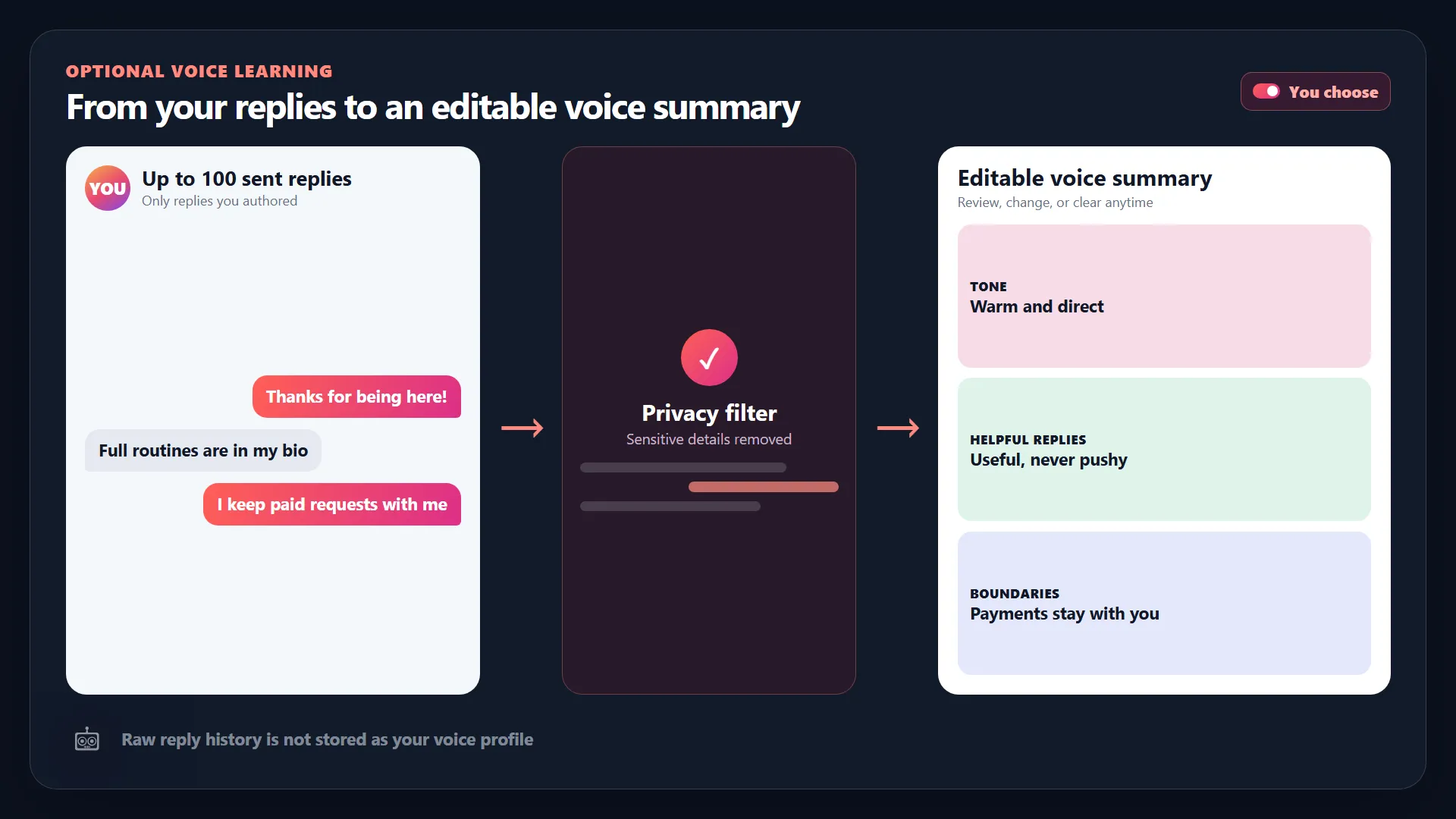
Voice should also be inspectable. Look for creator-approved facts, favorite phrases, language to avoid, and an editable learned summary. A tool that promises to “sound exactly human” without showing what it learned is difficult to control. Read the human-sounding automation guide.
The strongest product is not the one that sends the most messages. It is the one that recognizes a collaboration, payment concern, custom request, safety issue, or uncertain question and returns it to the creator.
Ask how the tool prevents invented offers and destinations. Loresta limits automated answers to creator-approved information and sends nothing automatically when the reply falls outside that boundary.
Compare what actually uses the allowance. Some products count every inbound event, even when it is spam or cannot be answered. Loresta counts a safe reply drafted or sent, while spam and owner handoffs do not use the included reply capacity.
Analytics should answer operational questions: how many everyday conversations were handled, what was handed back, which intent repeated, and how much capacity remains. Vanity message totals are not enough. See Loresta pricing and overage controls.
Ask what message data is retained, how connection tokens are protected, and whether voice-learning history can be removed. Loresta converts consented creator-authored examples into a compact editable summary instead of treating raw history as a permanent persona archive.
Finally, insist on a reversible rollout. You should be able to test drafts, review boundaries, set a hard capacity ceiling, pause replies, and disconnect an account. Review Loresta security before connecting a creator inbox.
Real product control
Loresta keeps the creator profile visible and editable instead of hiding behavior behind a generic prompt.
Evaluate each product with the same messages, rules, and monthly volume.
Confirm official authorization, permissions, and inbound-only behavior.
Test repeated questions, follow-ups, collaborations, payments, and uncertainty.
Calculate included useful replies, platform costs, and optional extra replies.
Find the pause, audit, profile editing, data removal, and disconnect paths.
A viable creator DM tool should pass every item before automatic sending is enabled.
Direct answers for creators and operators comparing DM automation.
The right tool depends on platform access, message volume, and desired control. Prioritize official connections, conversation context, editable voice, safe handoffs, transparent pricing, and a reversible rollout.
Keyword automation works for fixed triggers. AI is more useful for varied inbound questions and follow-ups, provided it has approved facts and conservative handoff rules.
Tools that simulate website actions or collect passwords create avoidable account and security risk. Prefer tools that connect through the platform's official login.
Payments, personal or custom requests, legal or safety issues, collaborations, and uncertain messages should return to the creator.
Compare useful replies included, what counts toward the limit, optional extra replies, platform fees, profile limits, and whether you can set a hard monthly ceiling.
Claim your name and paste your link. Loresta builds a free Page for tips, offers and answers to your followers' questions. Nothing goes live until you publish.
Compare plans